Week of the 03/23/2025 - #2
Contents
tech
- MIDI commands for Roland Aria S-1
- Putting old cellphones to good use
- Apple II random links
- Random demoscene related links
- Commodore 64 links
- Bitcoin Open Source Miners
- Sega Genesis Cartridges
- Gameboy development related links
- PCB manufacturing links
MIDI commands for Roland Aria S-1
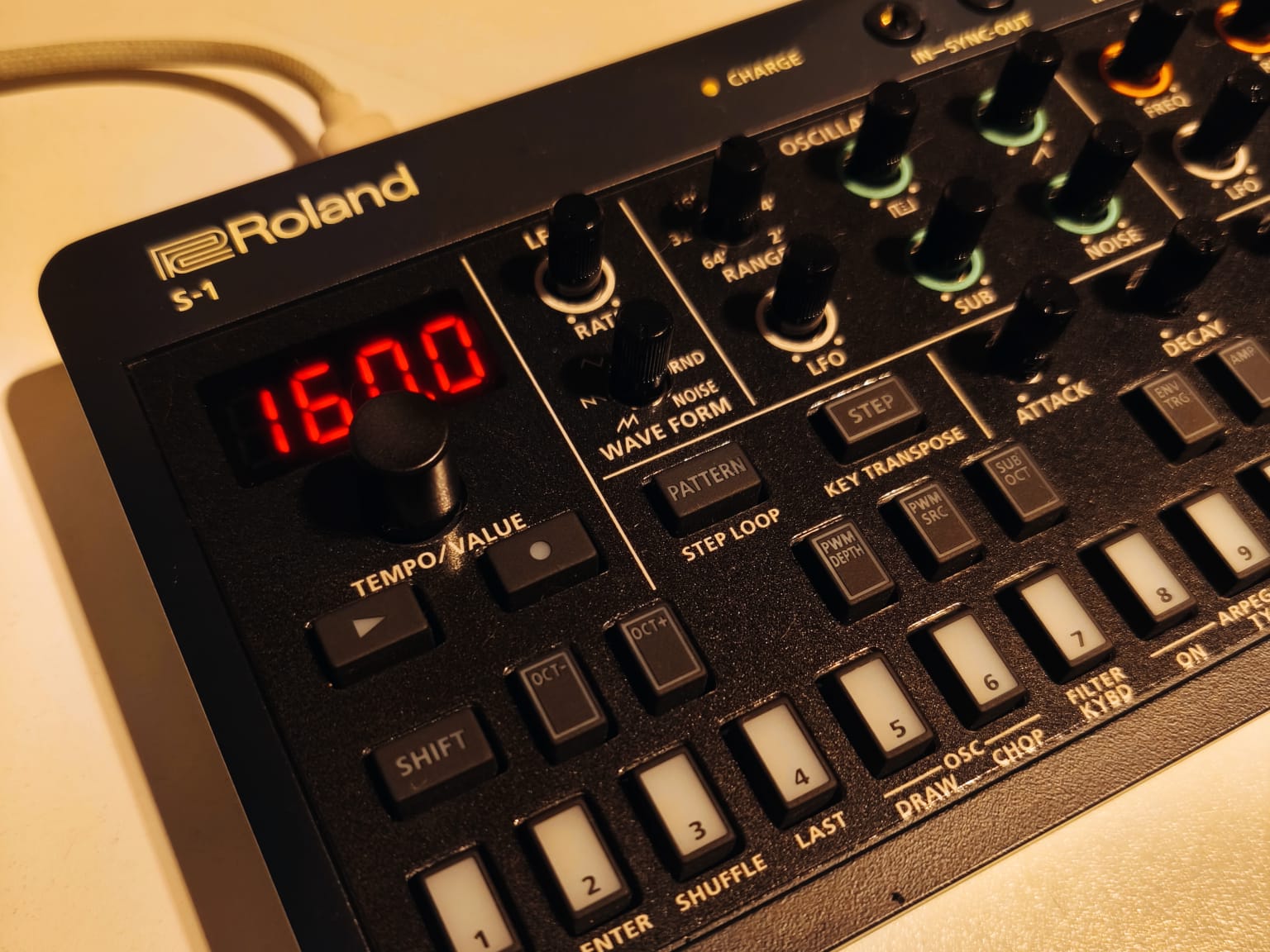
I finally decided to buy a Roland Aria S-1 synthesizer. I want to hook it up along with my K.O.II and be able to play both instruments from my Apple //c. The S-1 understands many MIDI commands and I was happy to see that almost all parameters that have a potentiometer can be modified via MIDI control change messages. This will allow me to slowly modify the sound coming from the S-1 to give it more character. As BT mentions in this post:
One of the fastest ways to make a track feel amateur is leaving everything static.
A synth patch loads, you hit a chord, and it stays almost exactly the same for the next 16 bars.
NOTHING in nature behaves like that.
Sound evolves.
That’s why I automate almost everything, usually in very small ways:
- Filter cutoff slowly opening over long phrases
- Detune subtly changing across sections
- Reverb sends rising into transitions
- Delay feedback evolving during breakdowns
- Tiny modulation changes inside pads and textures
These movements are often so subtle you don’t consciously hear them.
But you feel them.
When a sound slowly evolves, the ear stays engaged because the brain keeps discovering new information.
Static sounds feel like loops.
Moving sounds feel like MUSIC.
One exercise I recommend:
Take a pad or lead and automate one parameter over 16 bars, slowly. Filter, detune, or width. Keep it subtle.
Suddenly the entire sound starts to breathe.
Automation is how you add life to a track.
To experiment with it here are some tips for using amidi to send MIDI commands to the S-1:
- By default the Aria S-1 responds to MIDI channel 3.
- You can list MIDI devices with
amidi -l - You can send a note on command with
amidi -p hw:2,0,0 -S "93 3C 7F"(note on (9x), channel 3, note C4 (3c), velocity 127 (7f)) - You have to explicitly send a note off command to stop the sound. This is different from the K.O.II which automatically stops the sound after the sample ends.
- You can also send control messages. For example, to change the filter setting:
amidi -p hw:2,0,0 -S "b2 4a 50"(control change (Bx), channel 3, controller number 4a (mod wheel), value 64 (40)) - You can see all control change messages understood by the S-1 here: https://static.roland.com/manuals/s-1_manual_v102/eng/87294690.html
- Program change messages (to change the current patch) can be sent with
amidi -p hw:2,0,0 -S "cf 00 11"(program change (Cx), channel 16 (0x0f), program number 2-2 (0x11))
Links:
- Roland Aria S-1 manual (PDF) - The manual. At the end you can find a list of all MIDI commands that the S-1 understands.
- MIDI implementation chart - MIDI implementation chart in HTML for the S-1.
Putting old cellphones to good use
It is very unfortunate but the current state of the cellphone industry is that phones are designed to be replaced every 2-3 years. This results in a lot of electronic waste and also means that many people have old phones lying around that they don’t know what to do with. In my case I have many cellphones stashed in drawers with no good use for them. One idea I’ve been thinking about is to use the cellphone as a screen for IOT devices. The idea would be to connect the USB port of the cellphone to a microcontroller and use the cellphone’s screen to display information from the microcontroller. On the cellphone I have two approaches to try:
- Write a simple launcher app that replaces the default home screen. This app would wait for commands coming from the serial port using a yet to be developed protocol that is compact and light weight.
- Modify the Android Open Source Project (AOSP) to boot a custom app very early in the boot process. I am inclined to use a simple text interface that uses text and ANSI characters / color to spice up the display. This approach is bit more complex but would make the phone boot much faster.
I discussed the details with ChatGPT and have a good discussion with pros and cons to review. You can find it here.
In addition to this there are a couple of related projects that are relevant:
- LVGL - “Light and Versatile Embedded UI Ecosystem The world’s most widely adopted open-source embedded UI ecosystem. Neutral, royalty-free and vendor-independent, running on any MCU, MPU, OS, or display.” Github · Docs. I had a chat with ChatGPT about it and the idea would be to wrap LVGL calls with a layer that translates calls to low footprint messages that are sent through the serial port to the cellphone. On the other end these commands are executed using the SDL version of LVGL with output directed to the frame buffer. Here’s the chat.
- Blynk - “Blynk is the low-code IoT platform: full-service infrastructure to connect devices, design intuitive apps, and manage global fleets, without backend headaches.” Although not exactly related it is another way to create UI’s for IOT devices. With this approach you need to run the Blynk app on the cellphone and have the micro-controller send data to the app via the Blynk cloud. This is not really what I want but it’s still an interesting and somewhat related project. Github
- Termux - This is a third related project. My idea here would be to implement some kind of client that runs inside Termux which listens to the serial port and displays information in the terminal. This would be a much simpler approach than using LVGL but it would also be less visually appealing. Still, it could be a good starting point to test the concept before investing time in the more complex LVGL approach.
For all these project I would need to buy an USB on the go (OTG - Wikipedia) adapter to connect the microcontroller to the cellphone. There are simple ones that connect a USB A port to the cellphone (older phones) and there are USB C adapters that can be used to convert to USB A to talk to the microcontroller. There are still other that allow you to do this but also to charge the phones battery. In normal operation the cellphone battery would also power the microcontroller which is also a plus because we don’t need a battery on our project! We can use the cellphones internal battery. The only downside is that usually old cellphone have degraded batteries that don’t last very long.
Related links:
- ESP32 and Termux - This project show how to use Termux to connect to an ESP32 microcontroler.
Apple II random links
Here are several random links related to the Apple II that I found interesting:
-
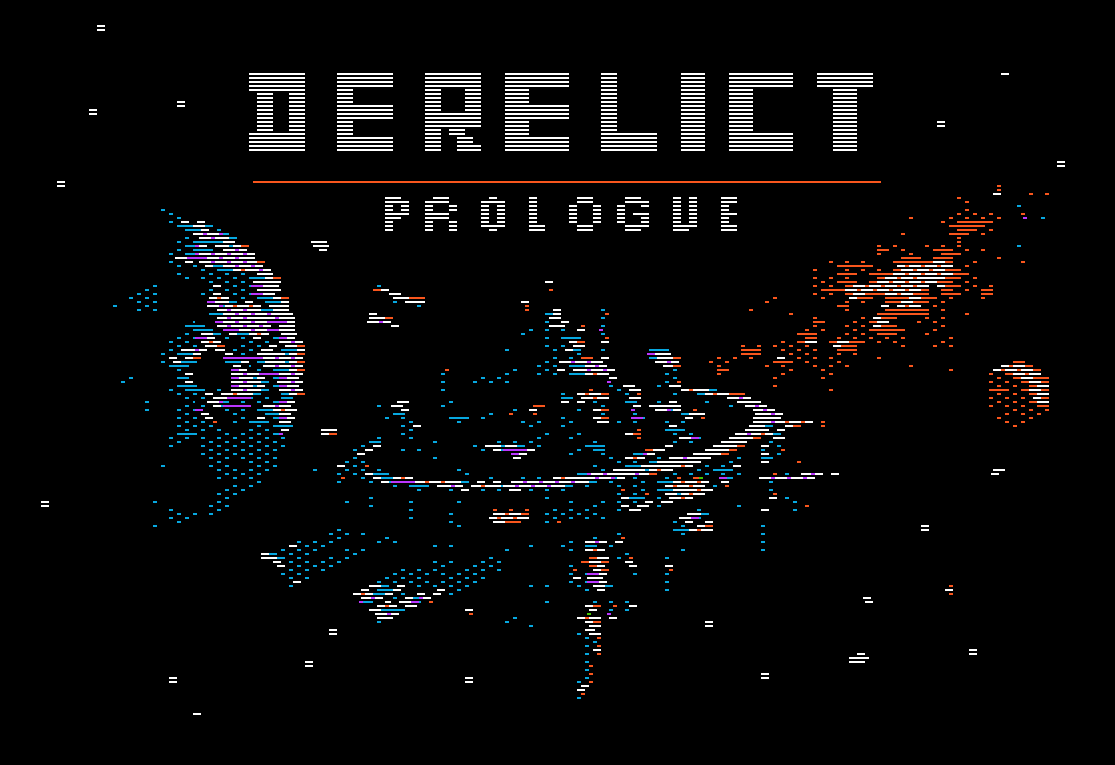
Derelict: Prologue - System Critical. You awake on a drifting ship with no crew and failing life support. A tense, atmospheric sci-fi adventure for the Apple II. I love the
-
A2Stream - “Wondering how on earth A2Stream manages to stream music from the internet in that quality without any dedicated sound chip? The program author Oliver Schmidt will explain it all. No assembly language knowledge required, promised!” Github - A2Stream simultaneously receives an .a2stream file from any HTTP server and plays it through the stock Apple II speaker circuit using pulse-width modulation at 22050Hz sample rate with ~5.17 bit resolution.
- The challenges of porting Shufflepuck Cafe to the 8 bits Apple II - This article describres techniques used to port Shufflepuck to the Apple II. The game is very fluid taking into account the severe hardware limitations of the Apple II. You can download the game here and see videos of the game in action.
- Optimizing 6502 code - This is part I of an article on decoding images from QuickTake digital cameras. Here’s part II.
Random demoscene related links
Can’t remember where I got most of these links but, 99% sure it might have been from one (or many) of PS’s weekly demoscene reports psenough YouTune channel.

- Red Alp breakdown article - A breakdown of a 484 byte Shadertoy shader. Lot’s of interesting ideas and very detailed. Here’s the shader
-
A series of tricks and techniques I learned doing tiny GLSL demos - Other articles by the author of ‘Red Alp’ shader demo.
- Thirteen - Header only minimalist interface to graphics, inspired by the olden days of mode 13h.
- Bit banger - “Bit banger is my most constrained and minimalistic microcontroller-based demo yet. It won the Oldschool 4k compo at Revision 2011. Bit banger is built around an ATtiny15 microcontroller, which runs at 1.6 MHz and has 1 kB of flash ROM and a claustrophobic 32 bytes of RAM.”. This is a very well known C64 scener I’ve featured before in this blog.
- Phasor - “Phasor, like Craft, is a demo running on a custom minimalistic ATmega88-based demo platform. But it generates a composite video signal (PAL) instead of a VGA signal.” Has an interesting discussion on how to generate composite, color video with a microcontroller.
- A more efficient SDF rendering algorithm - This article and accompanying YouTube video describes a more efficient SDF rendering algorithm to render signed distance fields (SDF). GitHub repo with Rust source code.
- nw_wrld - “nw_wrld is an event-driven sequencer for triggering visuals using web technologies. It enables users to scale up audiovisual compositions for prototyping, demos, exhibitions, and live performances. Users code their own visual modules, then orchestrate them using the project’s native UI composer.”
-
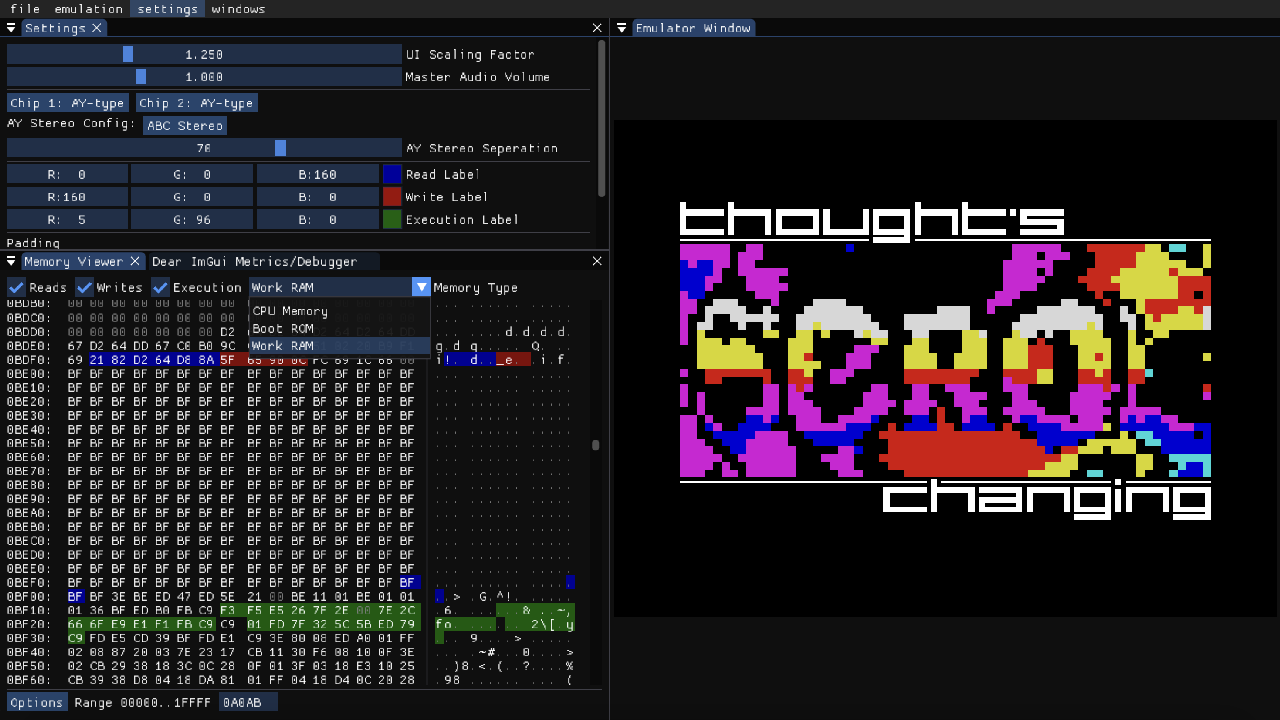
aartZX - “a modern ZX Spectrum emulator in C, C++, SDL2 and Dear ImGui”
-
YM2149-rs - “Chiptune Sound Synthesis in Pure Rust. A comprehensive ecosystem for YM2149/AY-3-8910 sound chip emulation, supporting SNDH, YM, AY formats with real-time visualization and Bevy plugin support.” GitHub repo
Commodore 64 links
- disawsm - This is a web based disassembler tool for the Commodore 64 for the browser. I worked a while ago on a very similar idea but this version is more refined. It lacks a cool feature which I’ll try to add: having all the labels to internal memory locations and functions. You can see it runnig here. Another feature that I was working on and I would like to contribute is the ability to open a VICE image and be able to disassemble the code in the image. Website - The authors website.
- C64 Cartridge on a Stripboard - “In this article I’ll explain how to make a self-booting cartridge for the Commodore 64 using an 8-bit microcontroller on a stripboard. “
- 9 Exotic Coding Tricks used in the C64 Game, Seawolves - “With the release of my first ever commercial game on the Commodore 64, Seawolves, I thought it might be of interest to the coders among you as to how the game was constructed.” The game. There are a lot of neat tricks for C64 coders described in this article.
- C64 Space Invaders - This is a perview edition of a C64 port of Space Invaders. YouTube video here. In the video there are some insights on how it works:
“Space Invaders on the original arcade hardware moved objects by directly manipulating pixels. That works, but it’s computationally expensive and the arcade CPU was twice as fast as the one on the C64. Not exactly a good approach for a port.
So I went with one of the C64’s superpowers: hardware sprites.
These are small graphical objects the system can move around cheaply and efficiently. The C64 only gives us 8 hardware sprites, but through the dark and slightly glitchy arts of sprite multiplexing - exploiting the way the raster beam draws the screen - I can trick it into displaying all 61 moving objects using just those 8 sprites.
Here’s how I’m setting it up:
- Sprite 0 : Player ship + player bullet (they never overlap, so they can share).
- Sprites 1-4: Enemy clusters, dynamically multiplexed into position with dark raster interrupt magic.
- Sprite 1 also moonlights as the UFO, sharing time with an enemy cluster that doesn’t need it on that particular raster pass.
- Sprites 5-7: Enemy bullets - dedicated sprites so they can spawn and fly wherever the action requires.
The video above is an early alpha/demo. To the sharp-eyed among you: yes, it actually runs smoother than the original arcade version.
Right now I’m stress-testing the engine.
- pushing sprites, timing and every moving part to make sure it holds up under load. Once the performance foundation is solid, I’ll start building and fine-tuning the core game logic.
First make it run. Then make it fun.”
Bitcoin Open Source Miners
- Bitaxe - Bitaxe is a Bitcoin miner based on an open-source design and a modern mining ASIC, offering efficiency and customization for users. It has an ESP32 to handle system functionality and specialzed chips to perform hashs. Github. ESP-Miner firmware Github page
- Easy: Just plug it in and mine Bitcoin over WiFi. No external computer needed.
- Practical: low cost, low noise, low power, low maintenance. You can run this at home.
- ASIC Power: High efficiency and hashrate, based on the latest and greatest Application Specific Integrated Circuits.
- Versatile: Mine to any StratumV1 pool, Lottery mine, Solo mine, Or hack it to do whatever you want.
-
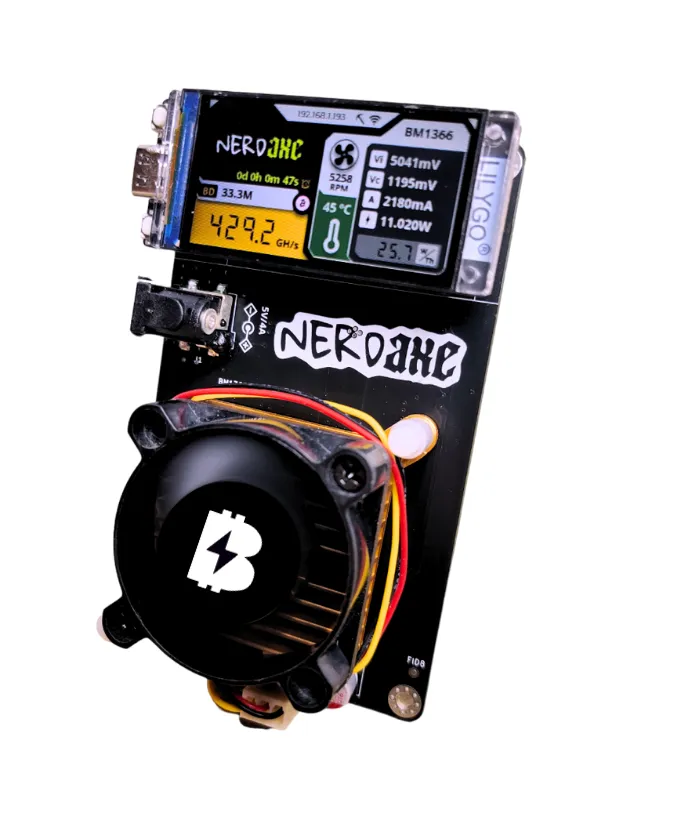
NerdAxe - “This is a free and open source project that lets you try to reach a bitcoin block with a small piece of hardware. The main goal of this project is to let you learn more about minery and to have a beautiful piece of hardware on your desktop.”
-
OSMU - “Founded in March 2023, The Open Source Miners United are focused on Open Source Bitcoin mining. Despite Bitcoin being fundamentally open source since the beginning, Bitcoin mining has become tragically closed source and proprietary over the last decade. Being decentralized and permissionless are key traits of Bitcoin that allow it to be freedom money for the whole world… Open Source development is what ensures Bitcoin remains this way, forever.”
Gameboy development related links
Here are some more Gameboy development related links that I found interesting:
- Gameboy 2BPP Graphics Format - Short article that describes how tiles are stored in the Gameboy. Has a useful tool to convert a string of hex numbers to a tile and display it. Great for testing tile data.
Sega Genesis Cartridges
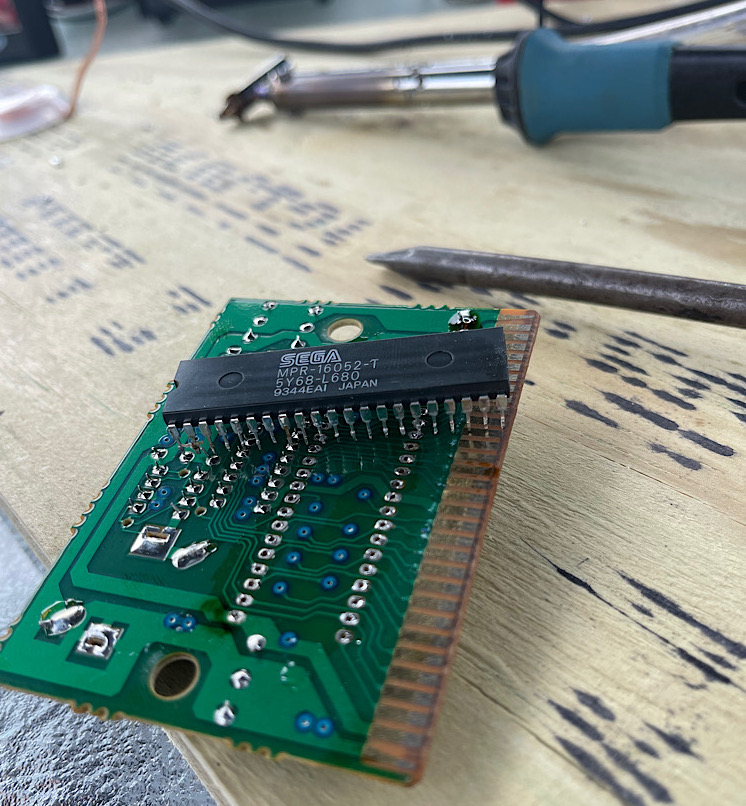
This is a very long forum thread on making/hacking cartridges for the Sega Genesis.
- The thread - Lots of interesting comments. In a nutshell this is what it’s all about:
Anyway, yes, in theory Genesis cartridges are easy to convert. The only game with special chips on the board was Virtua Racing, which I already own. Otherwise it was just a ROM. > Some of them got fancier with flash save game storage, high/low rom splitting across two cheaper chips, and others used battery backup but at the end of the day any game will run off a single 4MB EPROM.
In terms of cost, all in, I paid $0.87 each for these games. The EPROMs are about $1 each in bulk. I’ve got 20 coming on a slow boat from China.
EPROM burner with the proper adapter was $110. I got the Willem GQ 4X4 because it’s actively supported and seems to just work on the youtube videos I’ve watched.
EPROM eraser was $30. Didn’t think that was the device to mess around with rigging.
Desoldering iron I already had as seen previously.
Other options:
Everdrive. $30 for a clone or $180 for the good one. Already have one. I want to touch cartridges.
PCB manufacturing links
One of the few advantages of our current government has been the ease of importing components from China. Since there are no cheap manufacturers in Argentina of PCBs, here are some options from Chine with reasonable shipping costs:
- JLCPCB - JLCPCB Quote page
- OSHPark - In theory they have free shipping to Argentina 🇦🇷